Integrations
Systems that talk to each other
Stop retyping data between packages. We build integrations that move data automatically and reliably, and warn you when something goes wrong.
In short: Axpeco builds custom integrations between business systems such as ERP, CRM, accounting, webshops and HR packages. We use APIs, webhooks and file exchange, and run the integrations on Azure Functions with queues, logging and automatic retries.
What we do
An integration is only good if it keeps working
API integrations
REST and SOAP APIs, webhooks and OAuth. Also with packages whose documentation leaves something to be desired.
File exchange
Not every system has an API. CSV, XML or SFTP work too, when done correctly and traceably.
Queues and retries
Messages aren't lost when another system is briefly offline: they are offered again later.
Insight into what happens
Logging and alerts, so you know about an error before your customer notices, and can see what was processed.
Scheduled jobs
Nightly synchronisations, exports and reports that run on time without anyone having to remember them.
Secure access
Secrets in Key Vault, only the rights that are needed, and clear agreements about which data goes where.
Typical assignments
- Automatically sending webshop orders to the ERP
- Keeping customer data in sync between CRM and accounting
- Exporting hours or timesheets to a payroll provider
- Filling reports from multiple sources
- Replacing a home-grown script with a traceable integration
What we work with
- Azure Functions and Storage Queues
- ASP.NET Core and C#
- REST, SOAP, webhooks and OAuth 2.0
- CSV, XML and SFTP
- Application Insights for follow-up
 Our own product
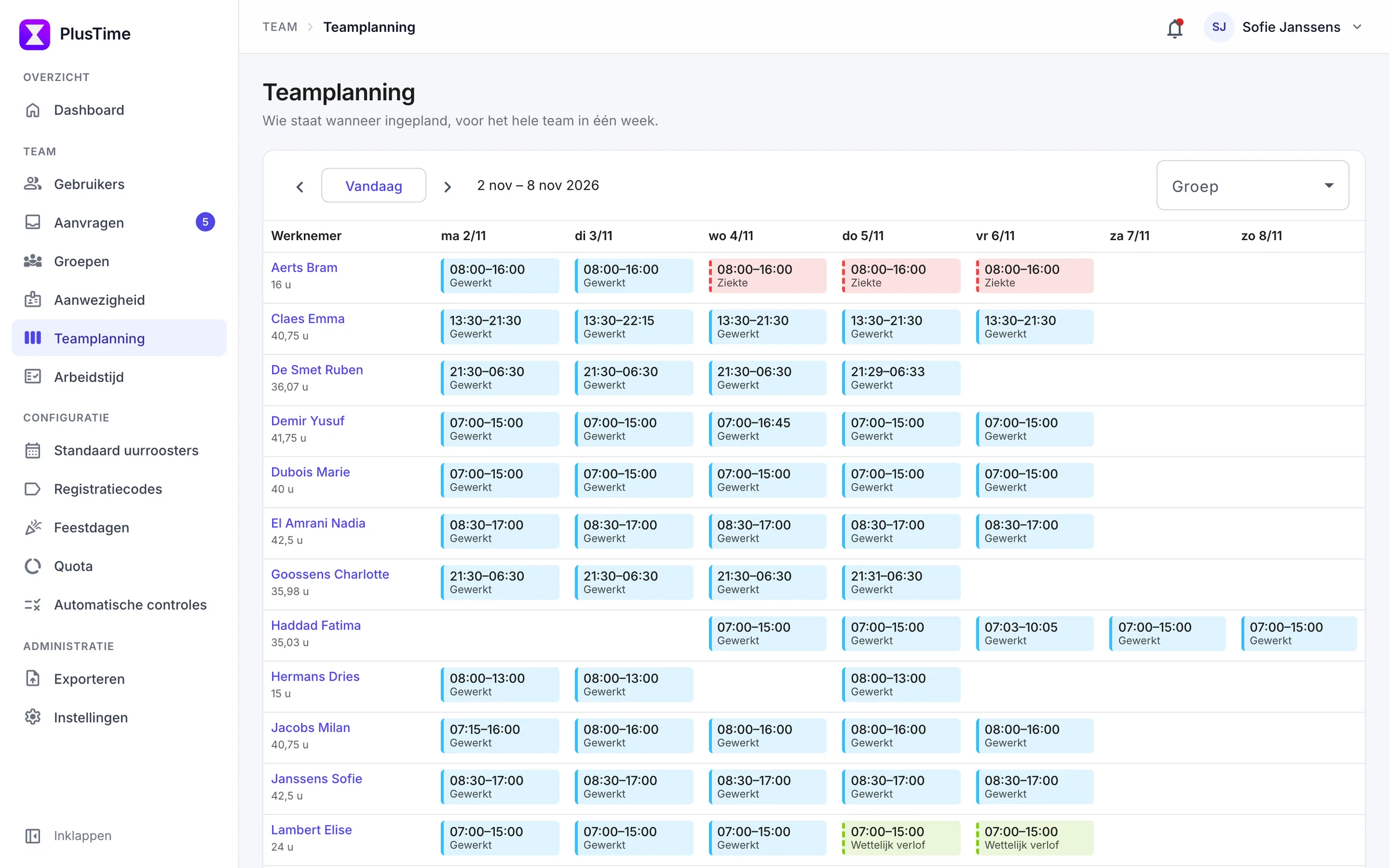
PlusTime: the software we build and run ourselves
Time tracking, work schedules and leave for Belgian SMEs. From the data model to the Azure hosting and the support, all of it is ours. What we recommend to clients, we use ourselves every day.
Frequently asked questions
Which systems can you connect?
Almost anything that offers an API or file exchange. We first look at what each system allows, then propose the simplest reliable solution.
What if a system has no API?
Then we look for an alternative, such as a scheduled file exchange via CSV, XML or SFTP, or direct access to the data if that can be done securely.
What happens when an integration fails?
Failed messages are kept and automatically retried. If that still doesn't work, an alert goes out showing which message is affected.
Do you have experience with integrations in production?
Yes. Our own product PlusTime, for example, exports to the Belgian payroll provider Acerta and synchronises with Google Calendar.
Last updated:
Related services
Tell us what you want to build or fix
A new application, an Azure environment that could be better, or an integration that just won't work: we're happy to look at it with you.